How to host Where Do You Stand?
A fast warm-up for a team on a video call. Everyone walks to their spot between two silly choices, the masks come off, and a few people tell you why.

- Players
- 2–30 people, best with 10–20
- Time
- About 2 minutes a round, 15–25 minutes for a game
- You need
- A laptop for you, a video call, and the invite link for everyone else
How it works
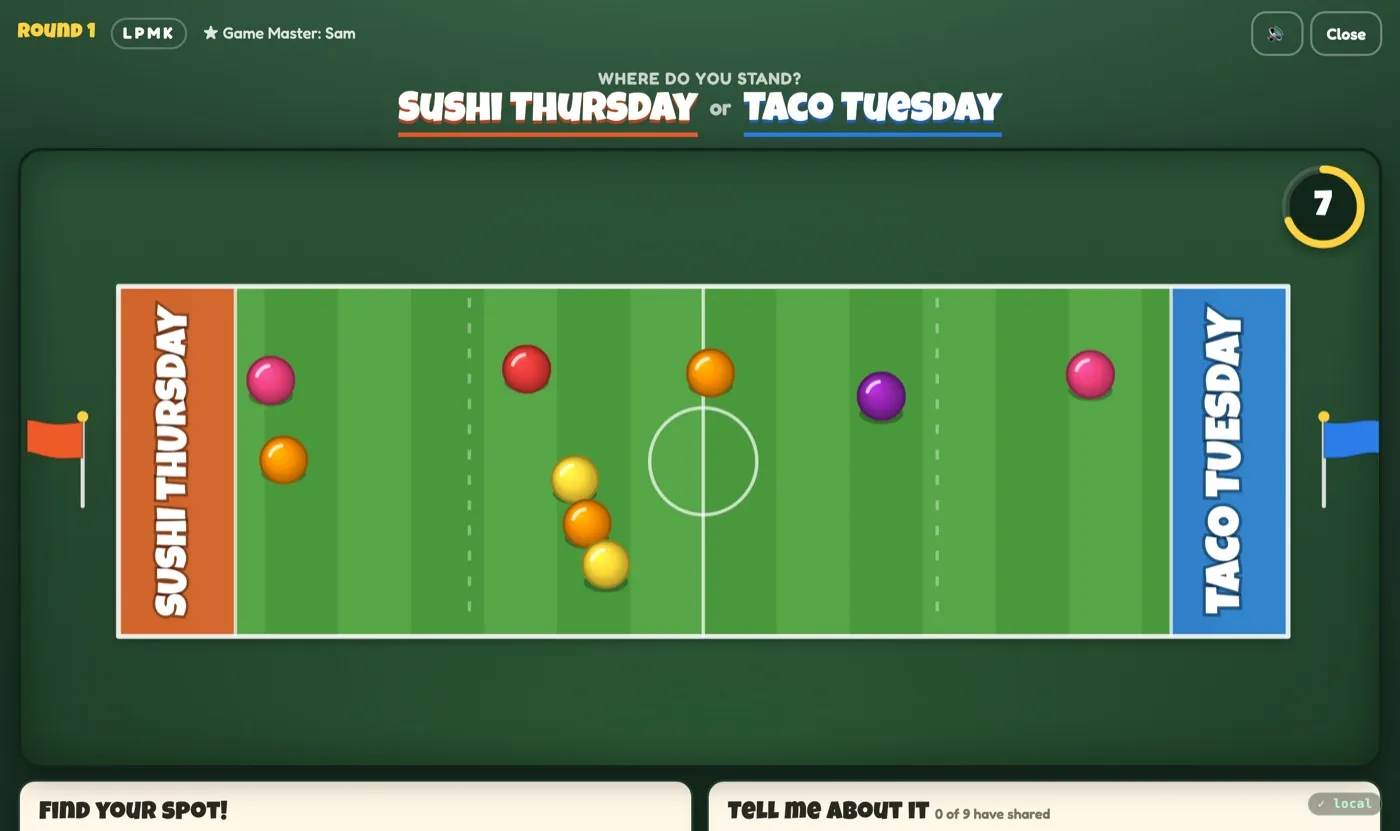
The field is a spectrum between two opposing choices, with a flag at
each end. Dogs or cats? Are you deep in the Dog Person camp, completely
committed to cats, or somewhere in between? Walk your character to the
spot that shows how strongly you feel. The closer to a flag, the stronger
the preference.
Then look around and see who’s standing near you: who shares your tastes,
your opinions, your attitudes. And who’s way out at the other end. It’s a
great way to get to know your teammates.
Before the call: try it alone
Give it five minutes the day before. Open the game, type your name, and
click Create a new room. Under Practice bots, pick 8 practice
bots and click Start game. The bots walk out, raise their hands, and
take turns “sharing,” so you can click through a whole round with nobody
watching. Set Practice bots back to None for the real thing.
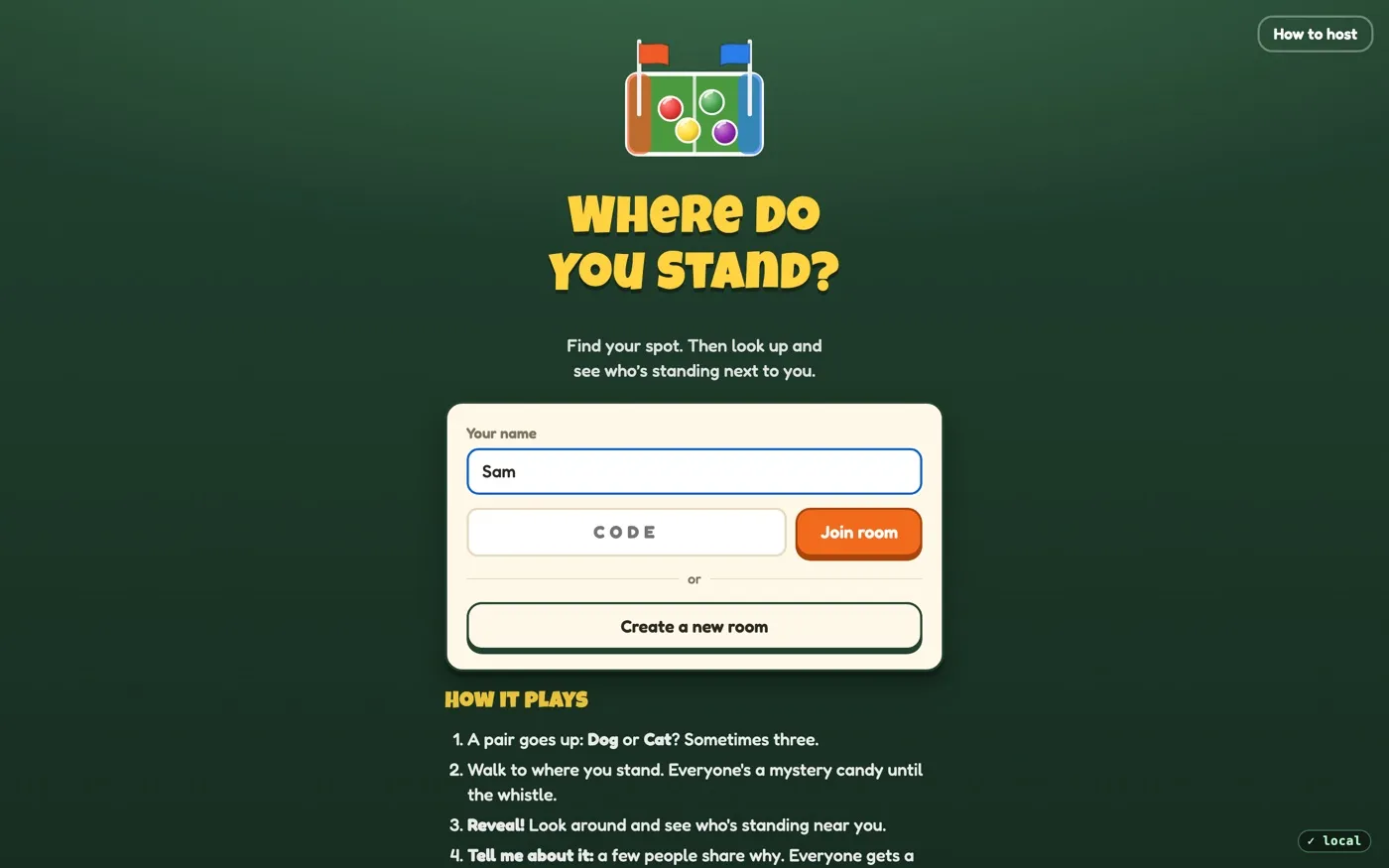
1. Create a room
Open the game, type your name, and click Create a new room. Whoever
creates the room is the Game Master: you run the show, and you play
too.
2. Invite everyone
Click Copy invite link and paste it into the call chat. Anyone who
clicks it lands on your room with the code filled in. They type their name
and click Join room. Laptops and phones both work. Anyone without the
link can type the four-letter room code on the home screen.

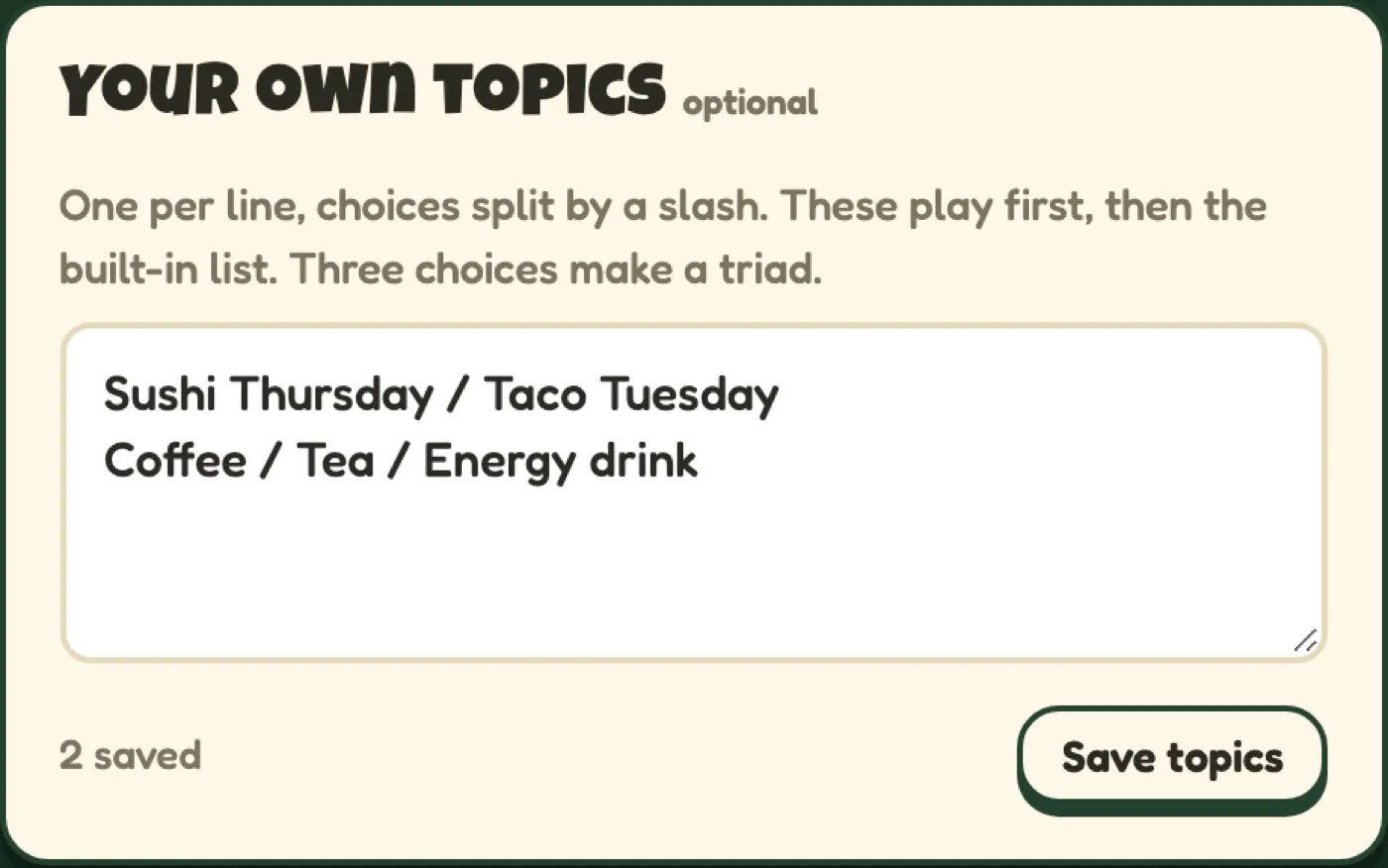
3. Add your own topics (optional)
The game has over 200 built-in topics, but your own are the best part:
inside jokes, office debates, the cafeteria menu. Type one per line, with
the choices split by a slash, and click Save topics. Yours play first.
Three choices make a triad: the field turns into a triangle with a flag
in each corner.
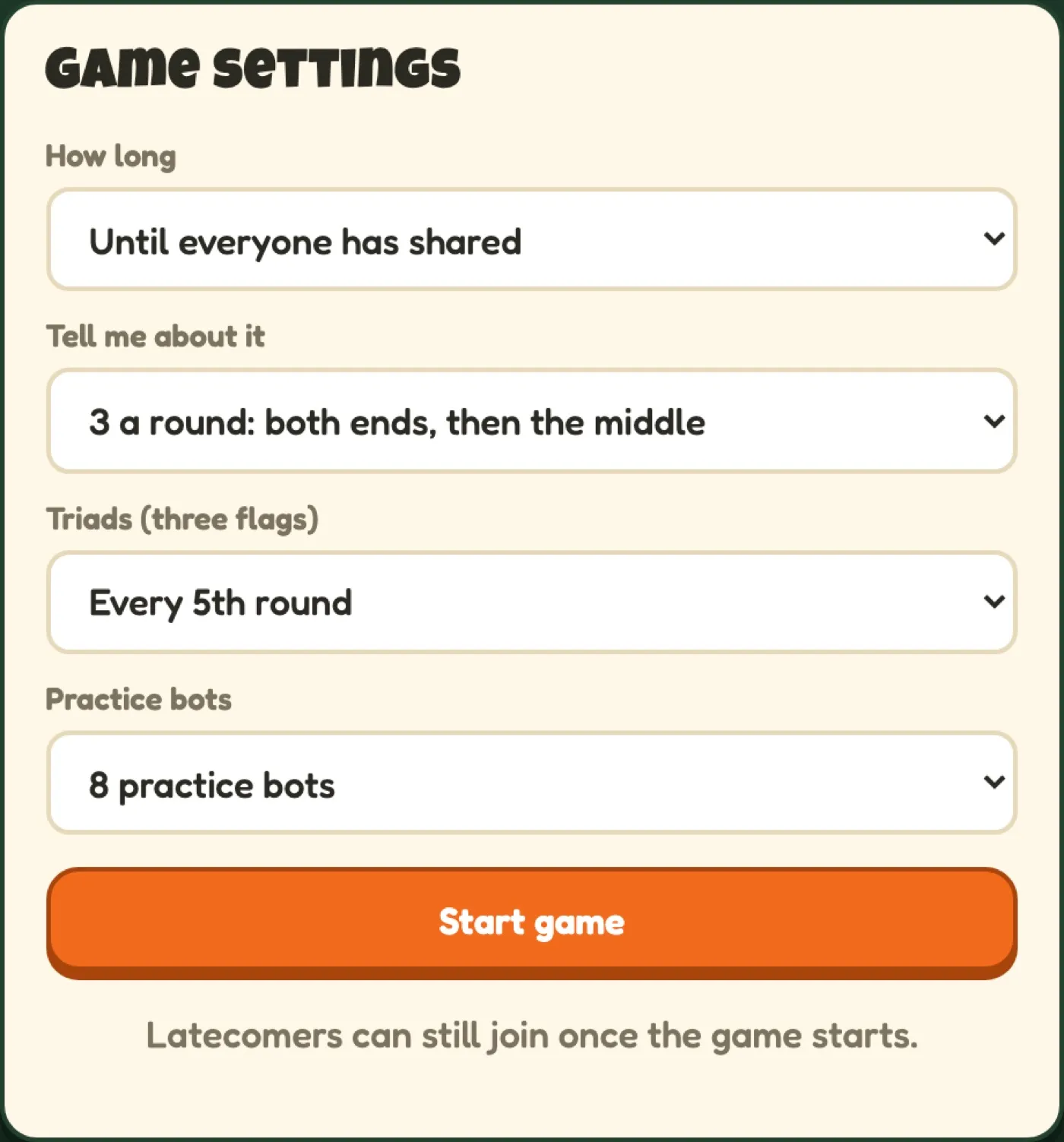
4. Pick the settings and start
- How long: Until everyone has shared ends the game once every
person has had a turn to talk. You can also pick 3, 5, or 8 rounds, or
keep going until you end it. - Tell me about it: how many people share each round. Three (both
ends, then the middle) is the default. Two keeps rounds quicker. - Triads: a three-flag round every 5th round, or more often, or never.
- Practice bots: None for a real game.
Click Start game. People who show up late can still join.
5. Put the field on the big screen
Click 📺 Big screen at the top. It opens a clean window of the field
without your buttons. Share that window on the call so everyone watches the
same thing, including anyone who joined on a phone.
6. Find your spot
The topic comes up, then GO! Everyone walks to where they stand: arrow
keys or WASD, or click (or tap) the spot. Until the whistle, everyone is a
mystery candy, so nobody can follow the crowd. The countdown runs about ten
seconds. Bumping into people is allowed. In fact, it’s encouraged.
If a topic falls flat, click Skip this topic.
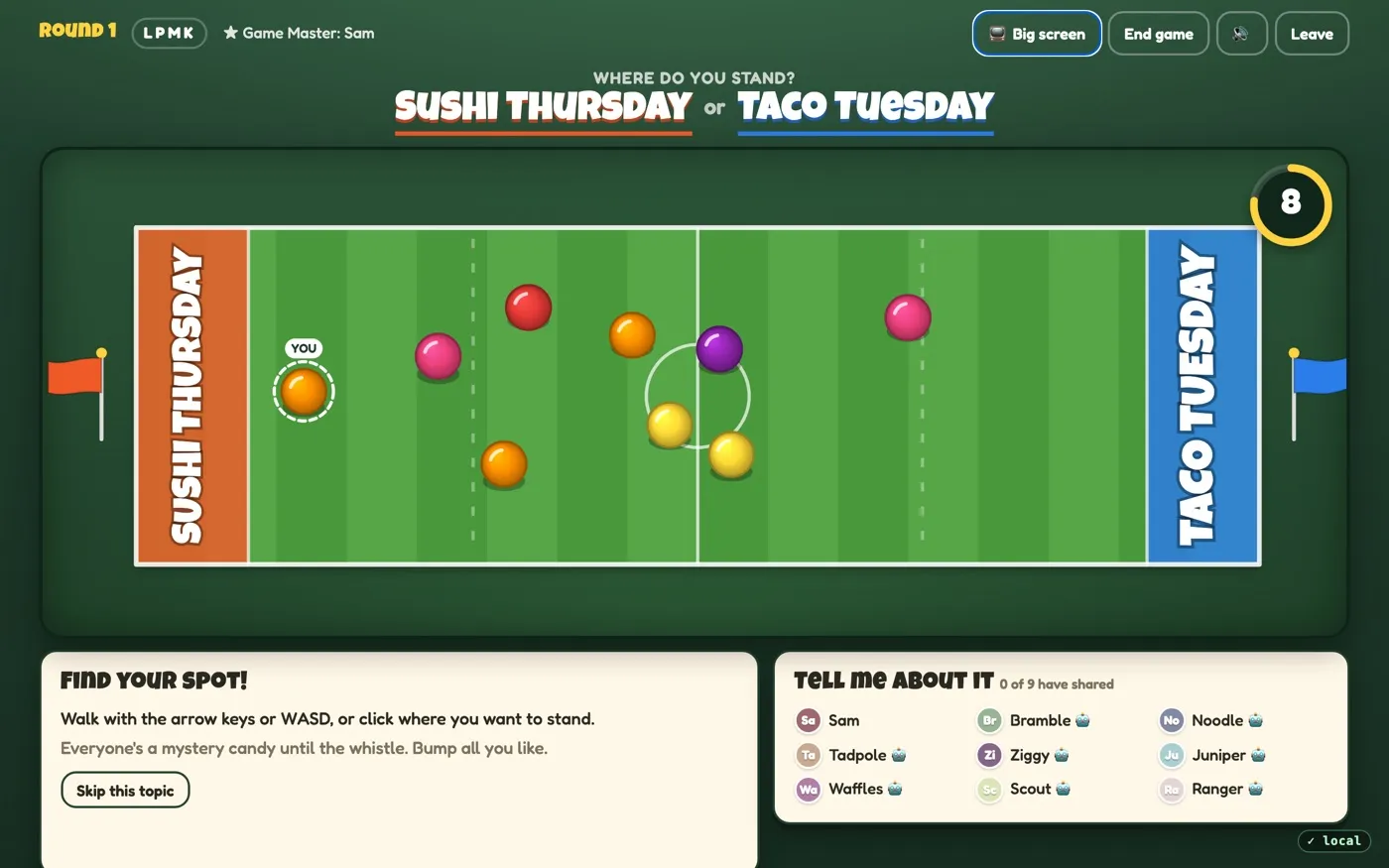
7. The reveal
The whistle blows, the masks come off, and the names pop on one by one.
Give it a beat. People finding out who’s standing next to them is the best
moment in the game, and it gets everyone talking.
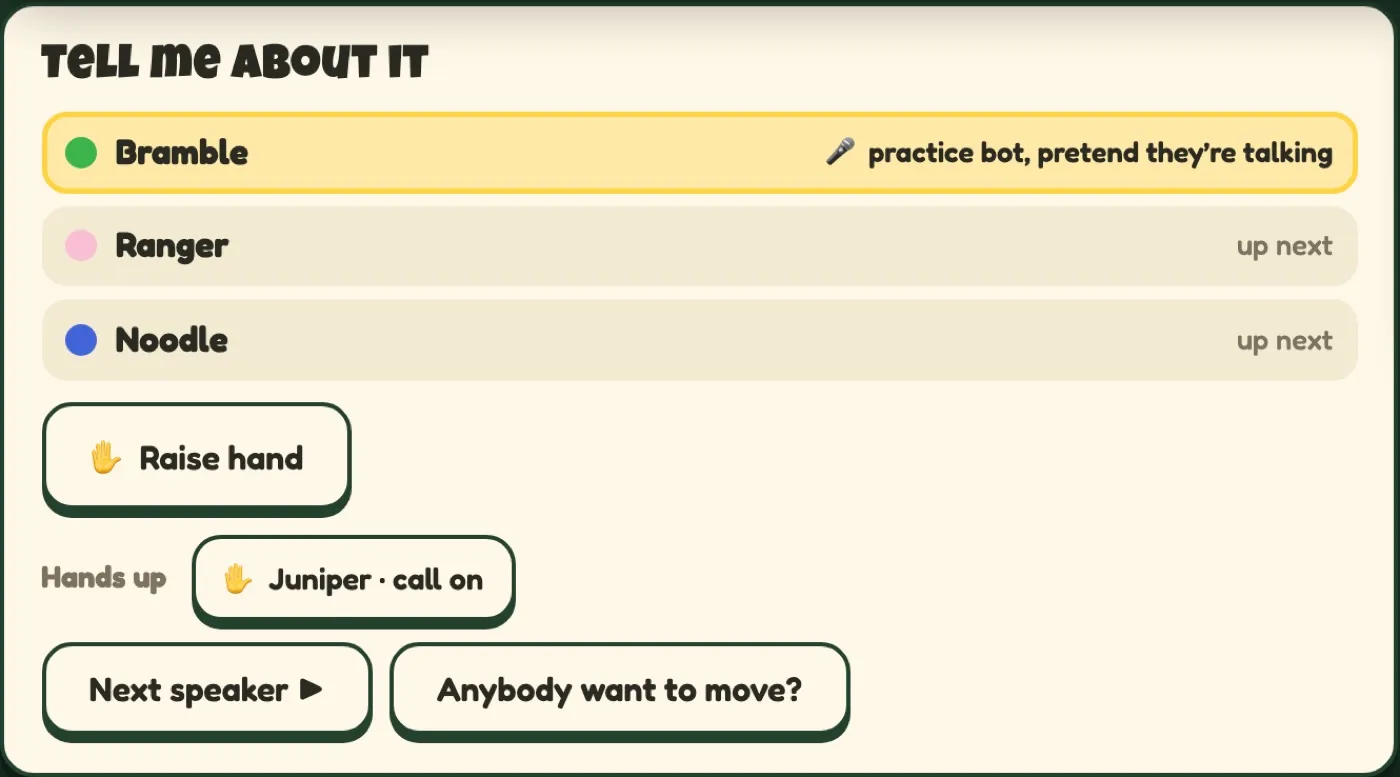
8. Tell me about it
The game picks two or three people to share why they’re standing where they
are: one from each end, then someone in the middle. It favors people who
haven’t had a turn yet, so over a few rounds everyone gets heard.
- The speaker clicks I’m done, or you click Next speaker.
- Anyone can Raise hand. Their name shows up under Hands up; click
it to call on them next. - The Tell me about it list on the right shows who has shared so far.
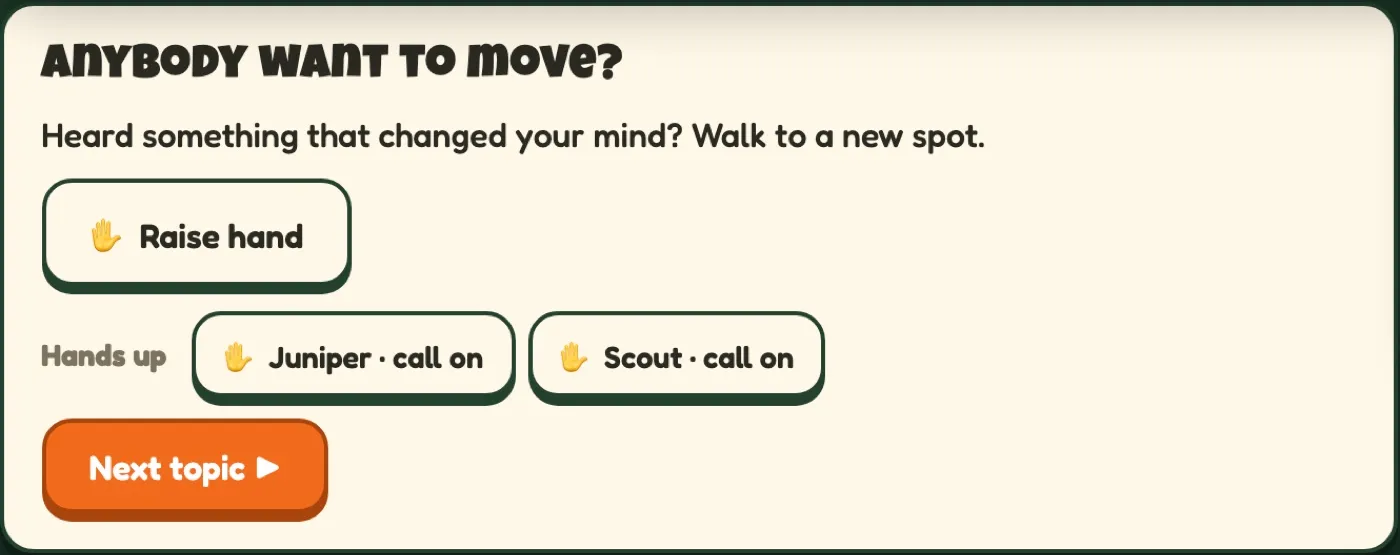
9. Anybody want to move?
When the speakers are done, click Anybody want to move? Anyone who
heard something that changed their mind can walk to a new spot. Take a
comment or two, then click Next topic.
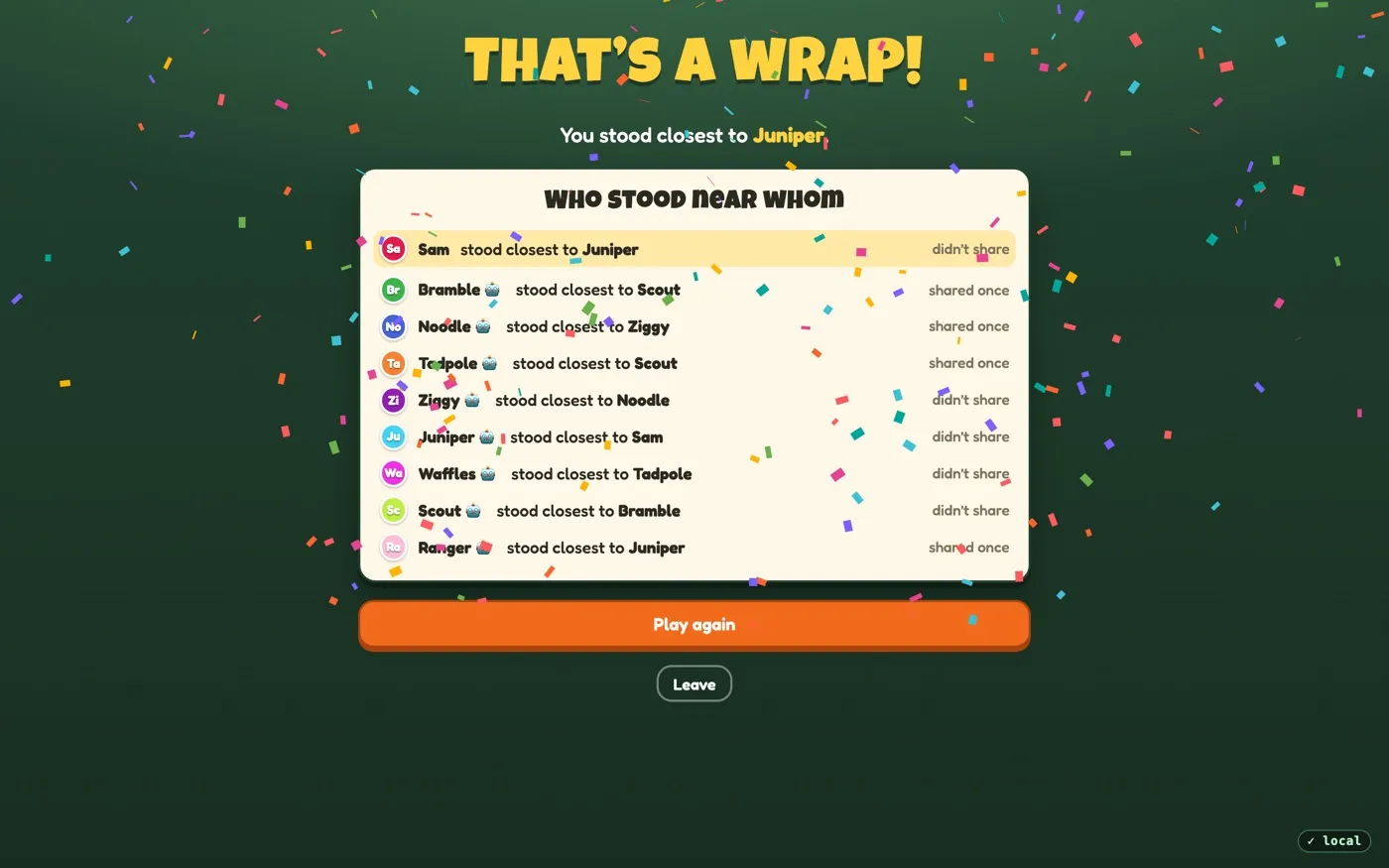
10. That’s a wrap
The game ends by itself once everyone has shared, or whenever you click
End game. The wrap-up shows who each person stood closest to most often,
and who shared. Play again takes the same room back to the lobby, with
everyone still in it.
Tips for a good game
- Keep it warm. The game handles whose turn it is. Your job is the
chatter: “Dana, you’re all the way out at Taco Tuesday. Tell us about it.” - Hand it off. Need to step away? Pick a new Game Master from Make
someone else Game Master on the right. If you made the room, you can
take it back any time. - Dropped out? Open the same link again and click Rejoin room.
- Too noisy? The 🔊 button turns the sound off.
What worked, what fell flat, what broke, what you wished it did. Every note helps.