How to host Splash Derby
Bumper karts with paint rollers, in teams, for a group on a video call. Paint the table your team's colour, bump the other team, and the most colour wins.
- Players
- 1–30 people, in 2, 3 or 4 teams
- Time
- About 2 minutes a round (90 seconds of painting, then the results); play as many rounds as you like
- You need
- A laptop, phone, or game controller for everyone, a video call, and the invite link
How it works
Everyone drives a sticker kart with a paint roller. Wherever you drive
turns your team’s colour, and you can paint right over theirs. When the
clock runs out, the team with the most table wins.
Hit the other team with your front bumper and they get a strike.
Three strikes and they’re knocked out for a couple of seconds before they
come back on their beach towel. Nobody can strike you on your own towel.
You’re the Paint Boss: you set the teams and start each round.
Before the call: try it alone
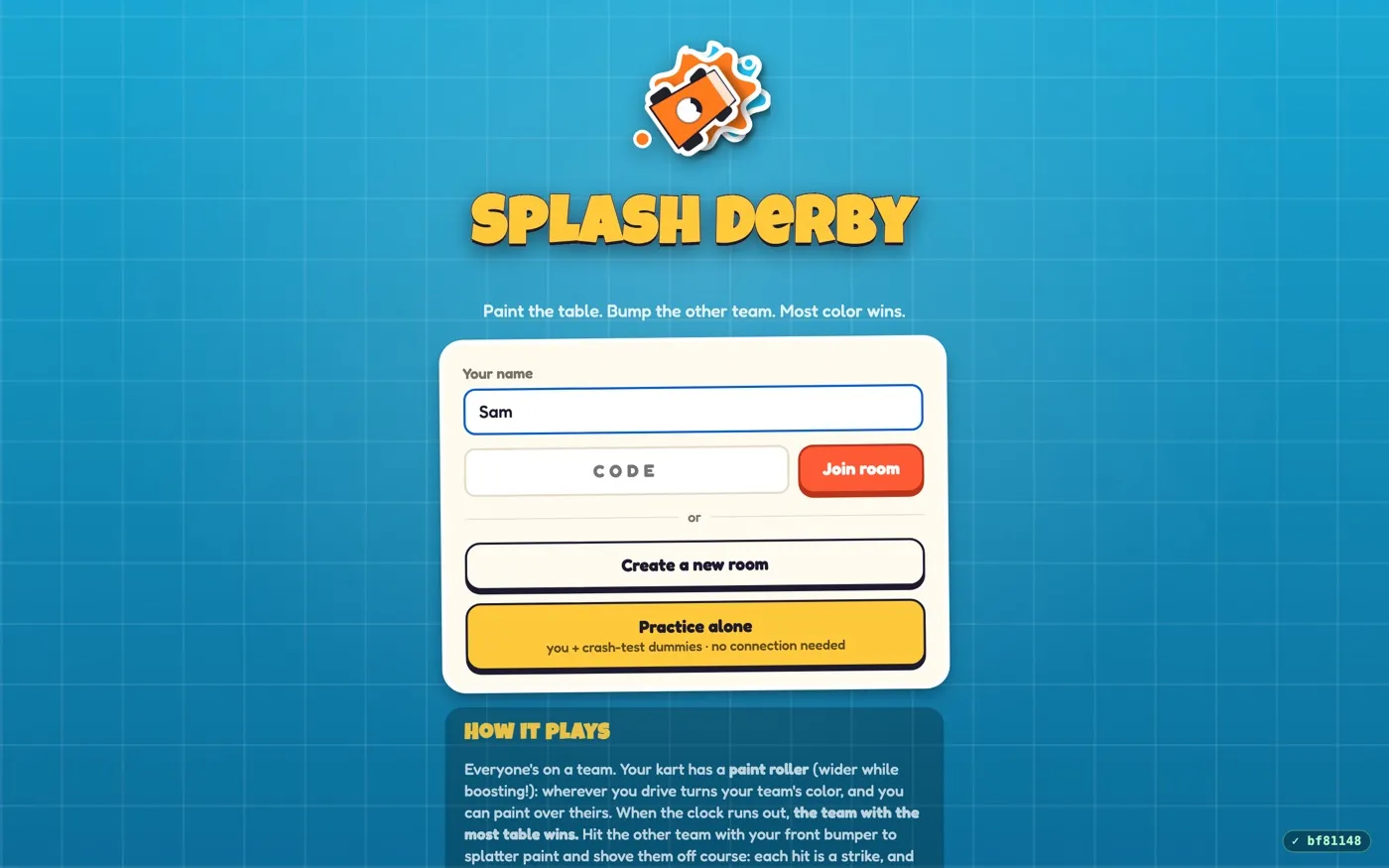
Open the game, type your name, and click Practice alone. You’re on a
team with crash-test dummies, against more dummies. It runs entirely in
your browser, so it even works with no connection. Arrows or WASD to drive,
space to boost.
1. Create a room
Open the game, type your name, and click Create a new room. Whoever
creates the room is the Paint Boss. You run the rounds, and you drive
too.
2. Invite everyone
Click Invite, next to the room code at the top right, and paste the
link into the call chat. Anyone who clicks it lands on your room with the
code filled in. They type their name and click Join room. Laptops,
phones and game controllers all work. Anyone without the link can type the
four-letter room code on the home screen.
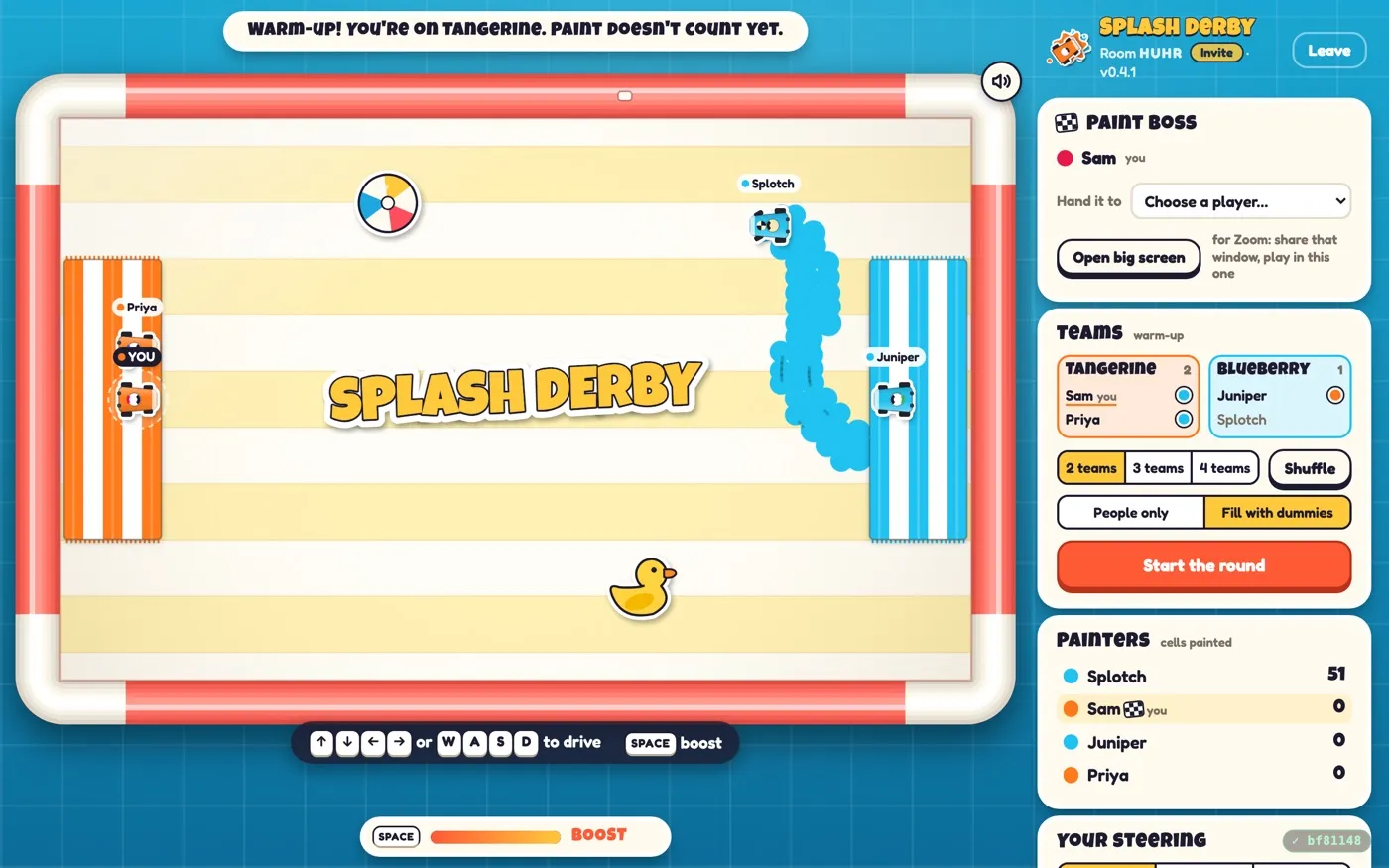
While people join, everyone drives around the warm-up. Warm-up paint
doesn’t count, so it’s a free try of the roller.
3. Set the teams
Under Teams:
- Pick 2 teams, 3 teams or 4 teams. Newcomers go to the team
with the fewest people. - Shuffle mixes everyone up.
- The coloured dot beside a name moves that person to the other team.
- Fill with dummies tops up short teams with crash-test dummies, so
the teams are even. With plenty of people, pick People only.
4. Put the table on the big screen
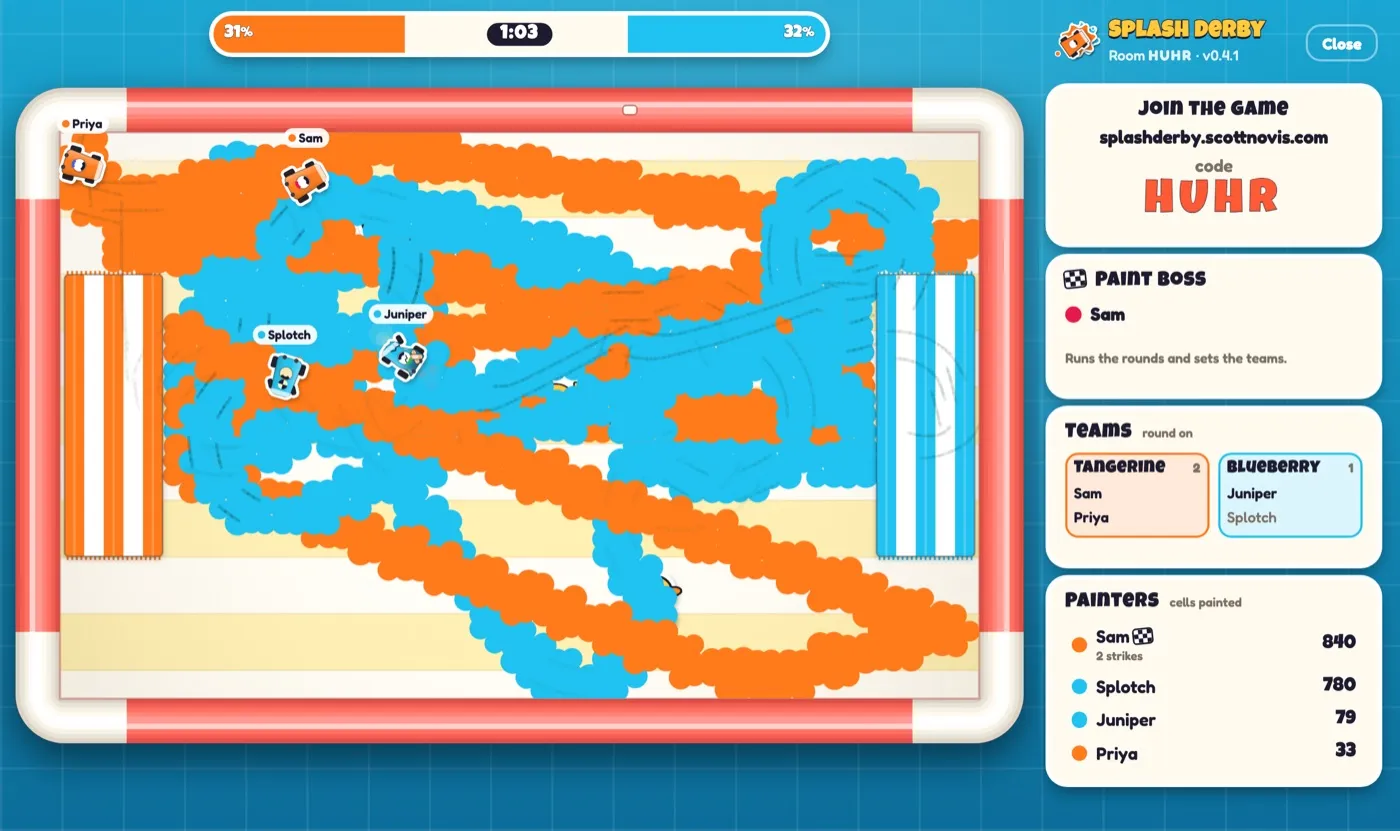
Click Open big screen in the Paint Boss card. It opens a second window
with the whole table, the score, the teams, and the join code in big
letters, with no kart and no buttons. Share that window on the call,
and keep driving in your own.
5. Start the round
Click Start the round. The table is wiped, each team lines up on its
towel, there’s a countdown, and then you paint. A round is 90 seconds on
the pool float, longer on the bigger tables that big groups get.
During a round you have two buttons:
- Restart wipes the paint and puts everyone back on their towels for
a fresh countdown. - End round stops it early and scores the table as it stands.
6. The results
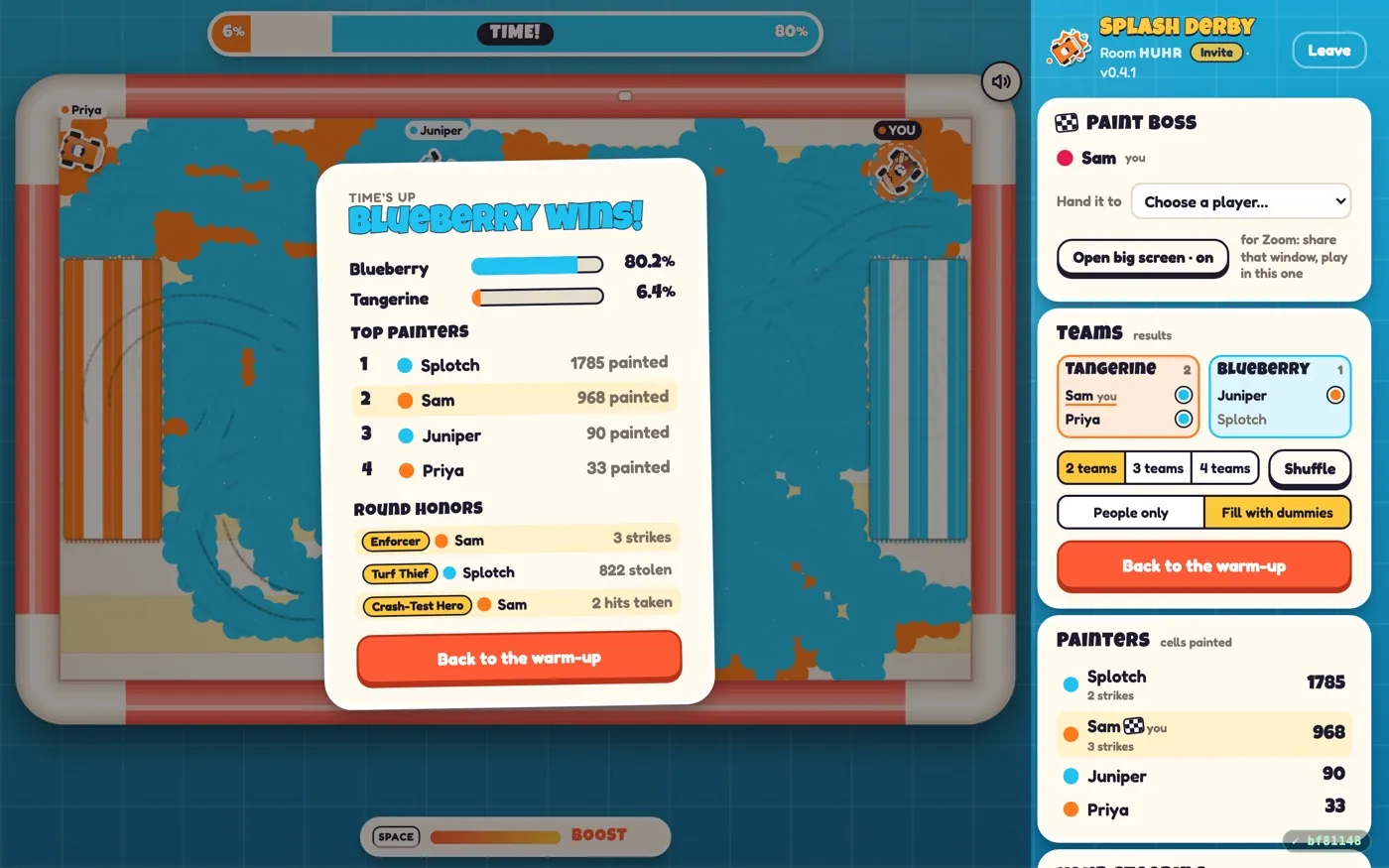
When time’s up, everyone sees the winning team, each team’s share of the
table, the top painters, and the round honors: the Enforcer (most
strikes), the Turf Thief (most paint stolen), and the Crash-Test Hero
(most hits taken). Give people a moment to gloat.
Click Back to the warm-up, change the teams if you like, and start
the next round.
Tips for a good game
- Shuffle between rounds so it isn’t the same teams every time.
- On a phone, the controls are on the screen: a steer strip and a go
strip under your thumbs, or a thumbstick. ZOOM IN follows your kart
up close. Turning the phone sideways gives you a bigger view. - Hand it off. Need to step away? Pick someone from Hand it to in
the Paint Boss card. If you made the room, you can take it back any time.
If your connection drops, you keep the role for 20 seconds. - Dropped out? Open the same link again and rejoin.
What worked, what fell flat, what broke, what you wished it did. Every note helps.