How to host Playing with Fire
A co-op firefighting game for a group on a video call. Mom and Dad went out, the yard is on fire, and everyone grabs a soaker to keep it off the house.

- Players
- 1–16 people; bots fill in
- Time
- 1–5 minutes a game in Timed mode; Endless runs until you're overrun
- You need
- A laptop with a keyboard (or a game controller) for everyone, a video call, and the invite link
How it works
Everyone plays a kid in the same back yard, on the same team. Fire rolls in
from the far side, round after round, each one bigger, and you all squirt it
out before it reaches the house. The house has three hearts. Big fires
split when you hit them, so it takes teamwork.
- Soakers squirt in a line, but a teammate in the way blocks your
squirt (it cools them down). - Water balloons lob over everyone’s heads, so the kid in the back
wants those. - Buckets slosh a big area, and there are only a few.
Refill at the water by the house; swap toys by running into a slot in the
toy box. Put fires out far from the house for more points.
You’re the Fire Chief: you set up the game and start it.
Before the call: try it alone
Open the game, type your name, click Create a new room, set Bots
to a few, and click START GAME. Arrow keys to run, hold Shift to
stand still and aim, space to squirt. A game controller works too:
left stick runs, right stick aims, A or the right trigger squirts.
1. Create a room
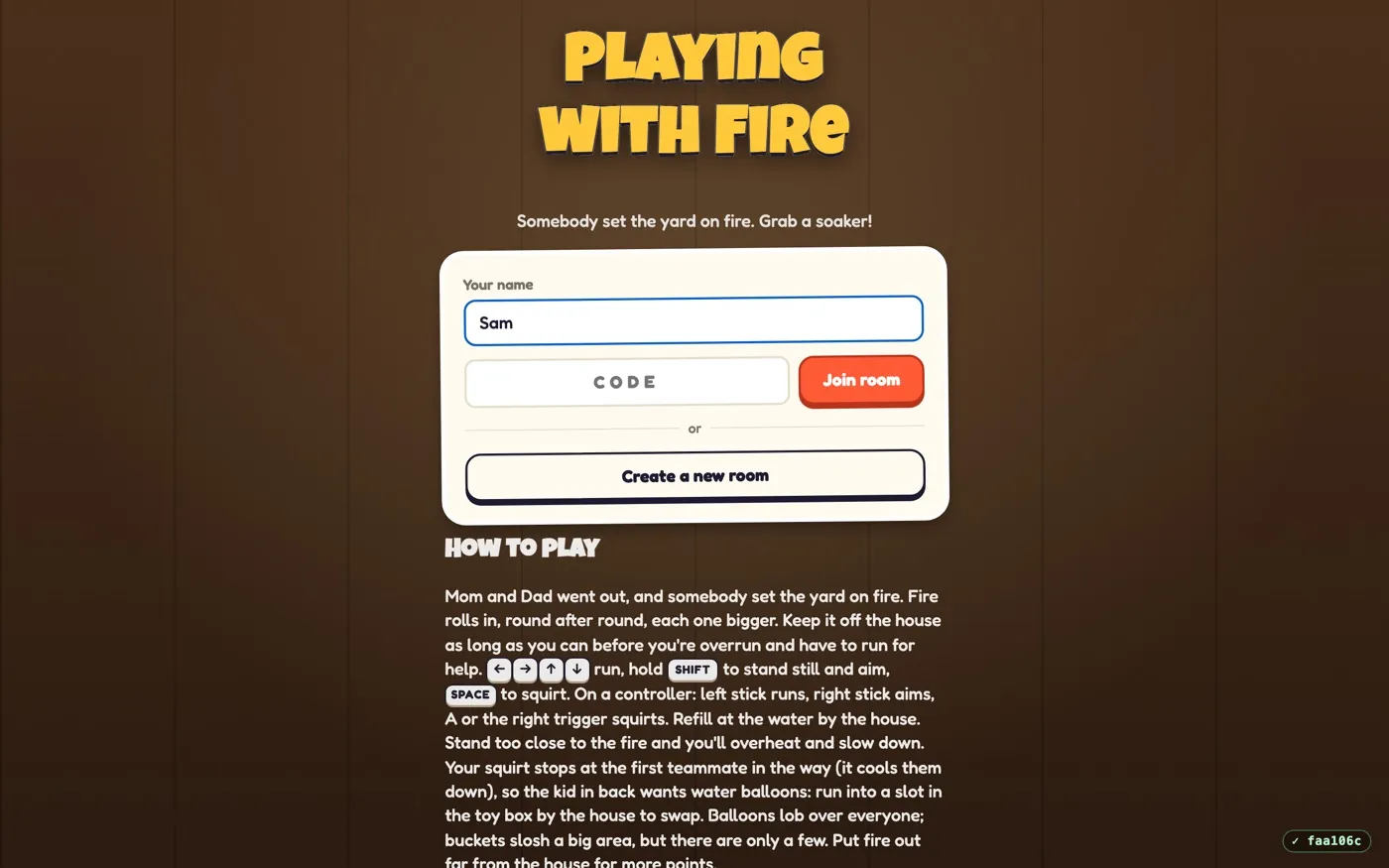
Open the game, type your name, and click Create a new room. Whoever
creates the room is the Fire Chief (♛). You run the game, and you play
too.
2. Invite everyone
Click Invite at the top right and paste the link into the call chat.
Anyone who clicks it lands on your room with the code filled in. They type
their name and click Join room. Anyone without the link can type the
four-letter room code on the home screen.
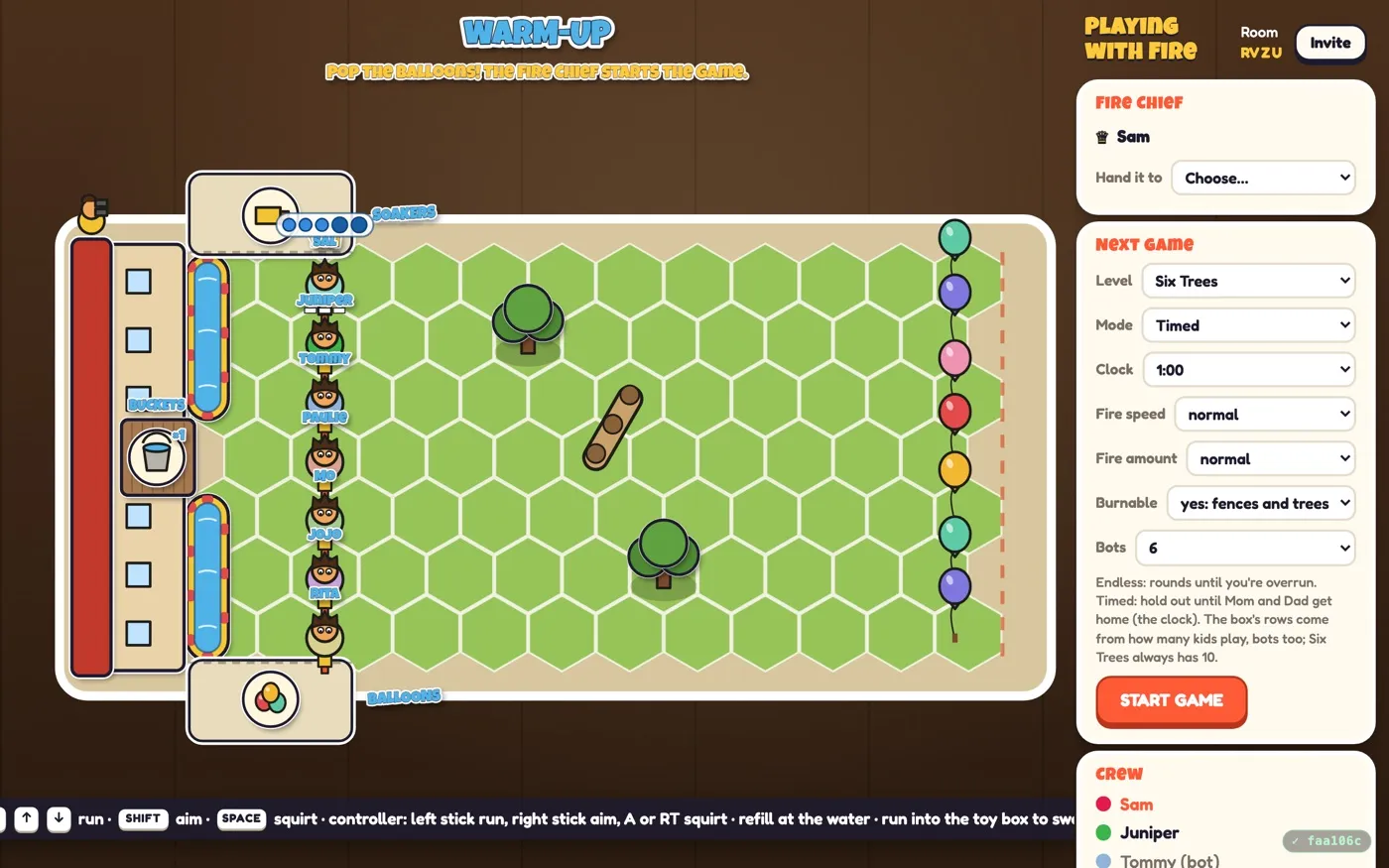
While people join, everyone warms up in the yard: there’s a row of
balloons along the far side to pop while you learn the keys.
3. Set up the next game
In the Next game panel:
- Level: The box (an open yard), Two trees, or Six Trees.
- Mode: Timed is the one to start with: hold out until Mom and Dad
get home, on the Clock you pick. Endless is rounds until the
house is overrun. - Fire speed and Fire amount: turn them down for a first game, up
for a team that’s played before. - Burnable: whether fences and trees catch fire too.
- Bots: extra kids to fill out a small group.
4. Put the yard on the big screen
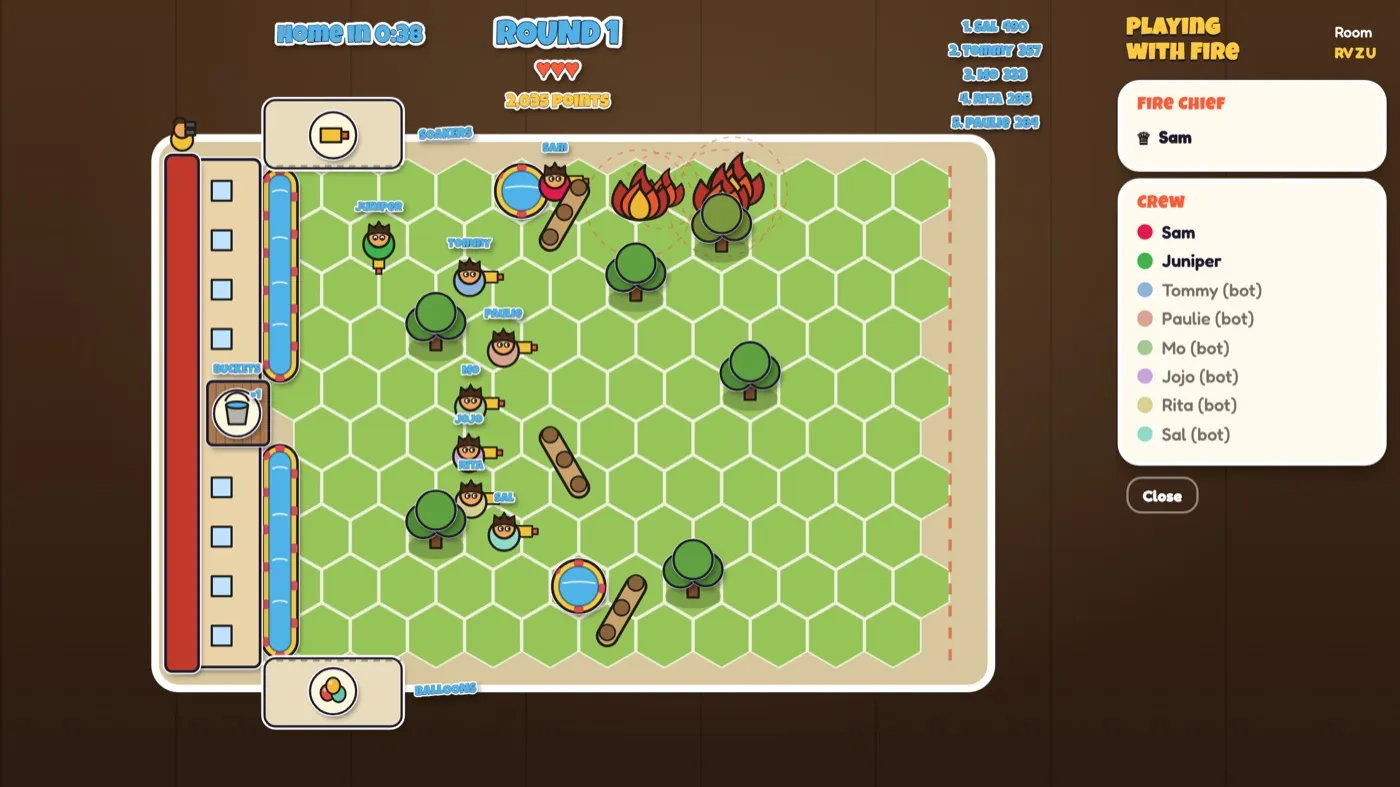
Click Open big screen at the bottom of the panel. It opens the whole
yard in its own window, with no buttons, the clock, the house’s hearts,
the team’s points, and the top firefighters. Share that window on the
call, and keep playing in your own.
5. Start the game
Click START GAME. The fires roll in; keep them off the house. If you
need a break, Pause (Esc) stops it for everyone, with Resume and
End game.
6. Mom and Dad are home
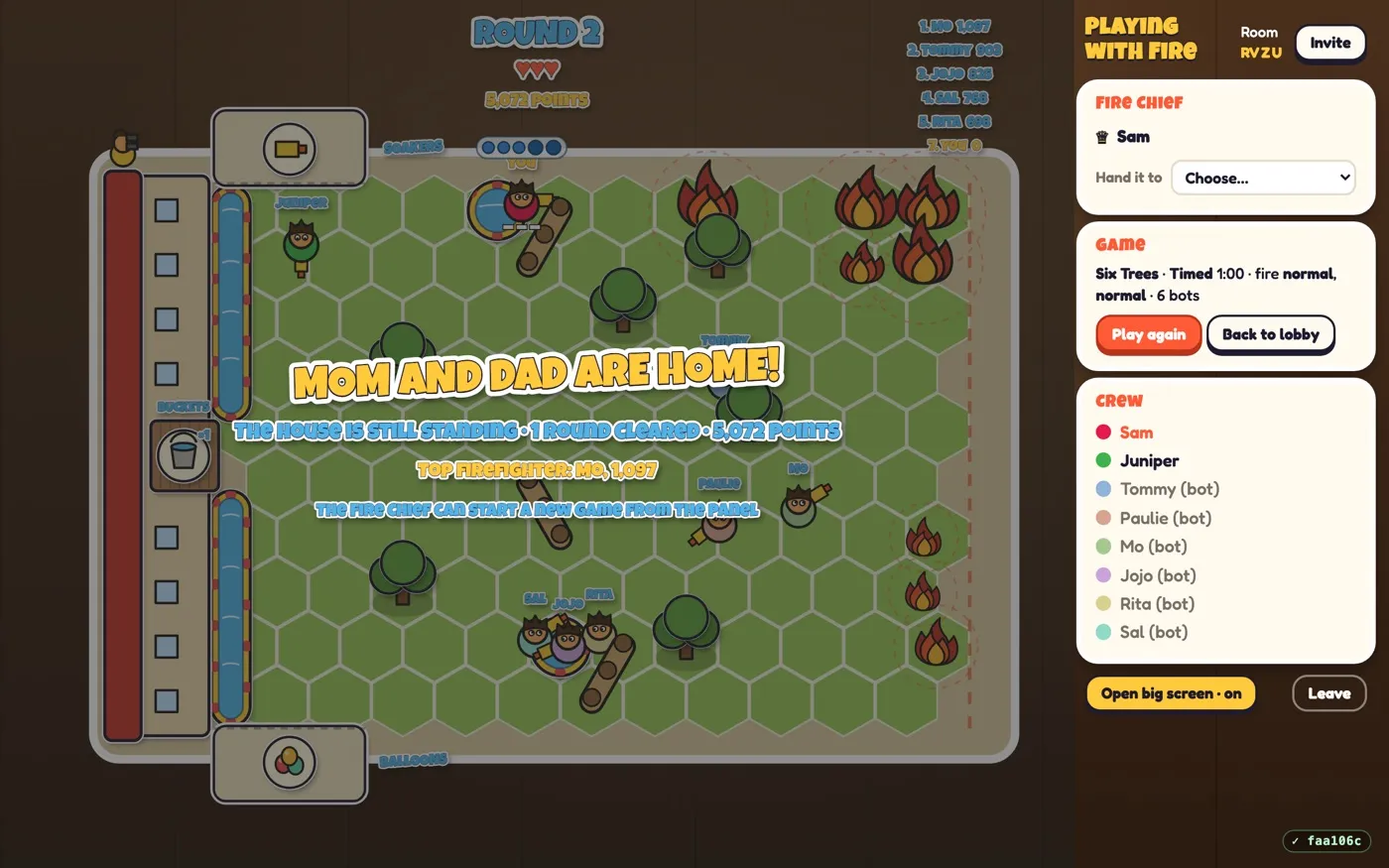
When the clock runs out (or the house is overrun), everyone sees how it
went: rounds cleared, the team’s points, and the top firefighter. Click
Play again for another go, or Back to lobby to change the level
and settings.
Tips for a good game
- Call it out on the call. “Balloons in the back!” and “Fire at the
fence!” is half the fun. - Start Timed and slow, then turn up the fire as the team gets the
hang of it. - Hand it off. Need to step away? Pick someone from Hand it to in
the Fire Chief card. - Dropped out? Open the same link again and rejoin.
What worked, what fell flat, what broke, what you wished it did. Every note helps.