How to host Mushroomapalooza
A team puzzle race for a group on a video call. Everyone matches smiling clumps on their own phone, every match grows their mushroom, and teams are scored like cross country.

- Players
- 1–30 people, in 2, 3 or 4 teams; bots fill in
- Time
- 1–6 minutes a race, depending on the settings; play as many as you like
- You need
- A phone or laptop for everyone, a video call, and the invite link
How it works
Everyone gets the same board of little smiling clumps. Line up three or
more of a colour and your mushroom absorbs them, and grows a bit taller.
It’s a race, but a team race: when it ends, each team adds up its players’
places, like cross country, and the lowest total wins. So everyone
counts, even the person in last place on your team, and nobody wins alone.
Clumps dry out and frown if they sit too long. When the board gets dry, it
rains and the soil gets mixed up.
On a phone, you tap or trace on the board. On a laptop, you play with the
keyboard: your left hand’s keys (Q W E, A S D, Z X C) are a 3×3 window on
the board, and your right hand moves it. The home screen explains the
keys.
You’re the Head Gardener: you sort the teams, pick the race, and start
it.
Before the call: try it alone
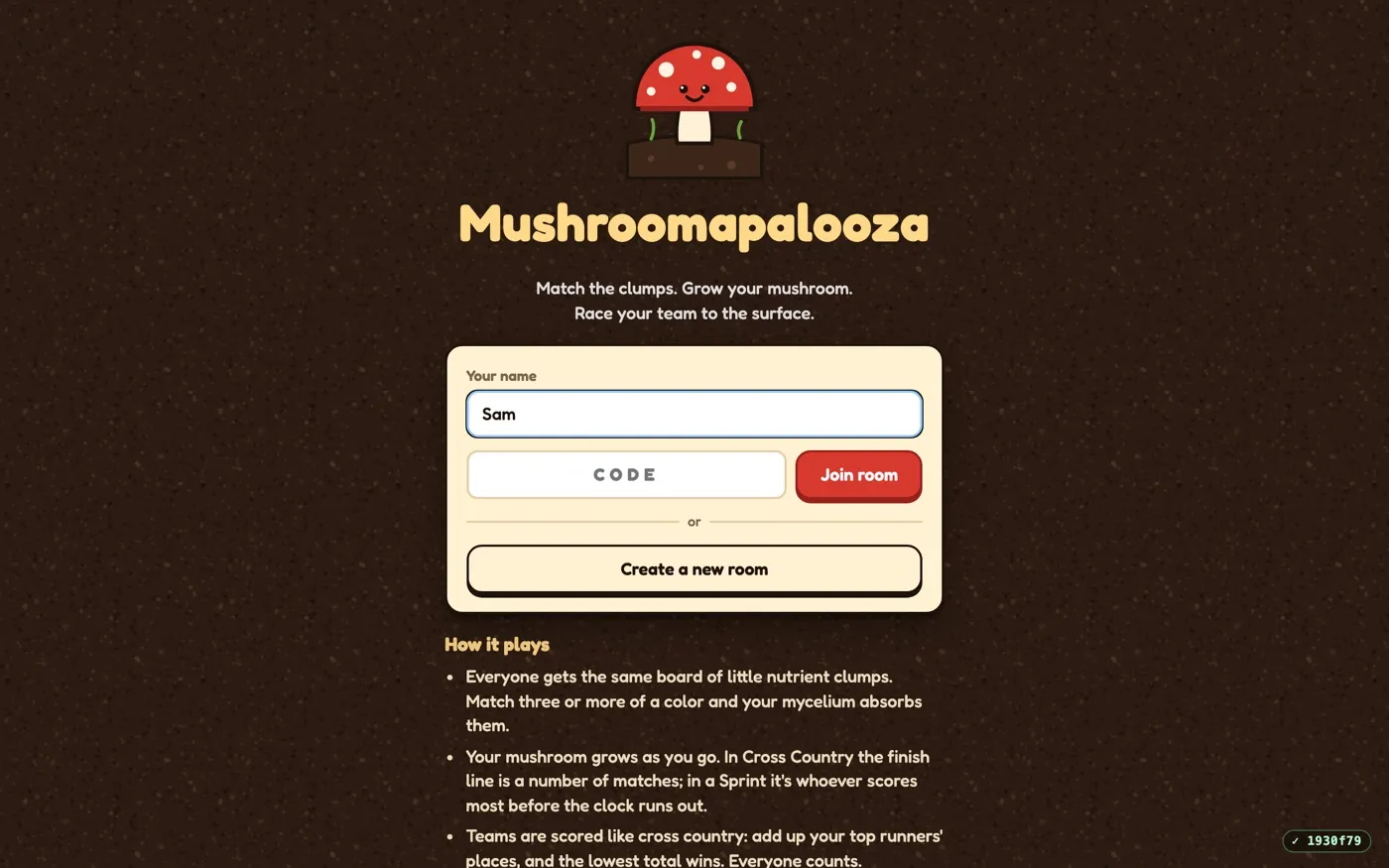
Open the game, type your name, click Create a new room, set Bots to
5 bots, and click Start game. The bots race too, and on Normal
they keep pace with you. A one-minute Sprint is a good first try.
1. Create a room
Open the game, type your name, and click Create a new room. Whoever
creates the room is the Head Gardener (★). You run the race, and you
play too.
2. Invite everyone
Click Copy invite link under the room code and paste it into the call
chat. Anyone who clicks it lands on your room with the code filled in. They
type their name and click Join room. Anyone without the link can type
the four-letter room code on the home screen. Latecomers can join a race
that’s already running; they start from zero.
3. Sort the teams
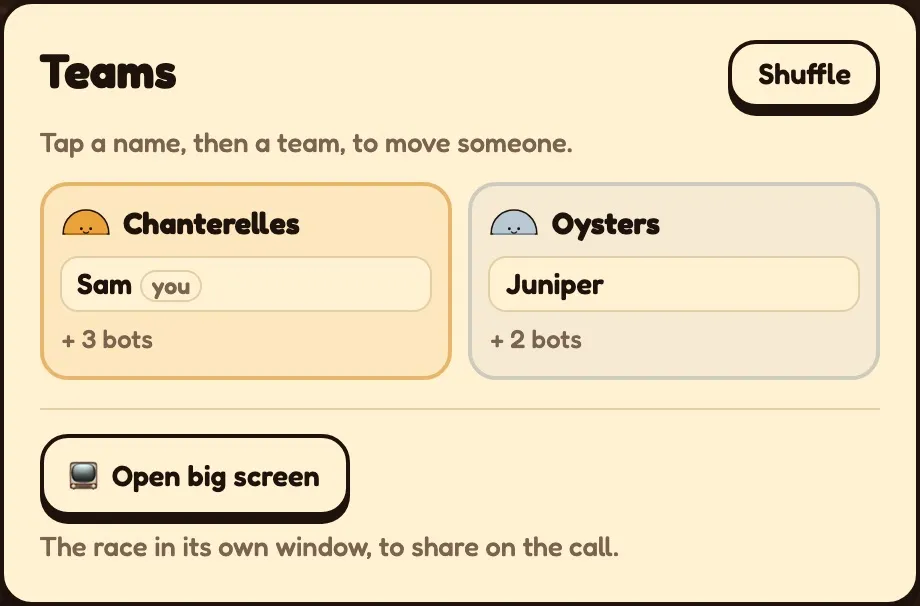
Under Teams, tap a name, then a team, to move someone. Shuffle
mixes everyone up. In Game settings, Teams picks 2, 3 or 4 teams,
and Bots adds bots to fill them out, at Easy, Normal or Hard.
4. Pick the race
Under Game settings, Race is the big choice:
- Cross Country: first to a number of matches (25, 50 or 75).
- Sprint: most points before the clock runs out (1, 2 or 3 minutes).
The best first race. - Tour: three stages with different board rules, and the stage scores
add up. - Break Out: first to a points target, and every place earns points
for the team.
How you match is Swap two neighbors (the classic) or Trace a
path through clumps of one colour. How the board refills is
Regrow in place or Cascade down. When in doubt, leave the
defaults.
5. Put the race on the big screen
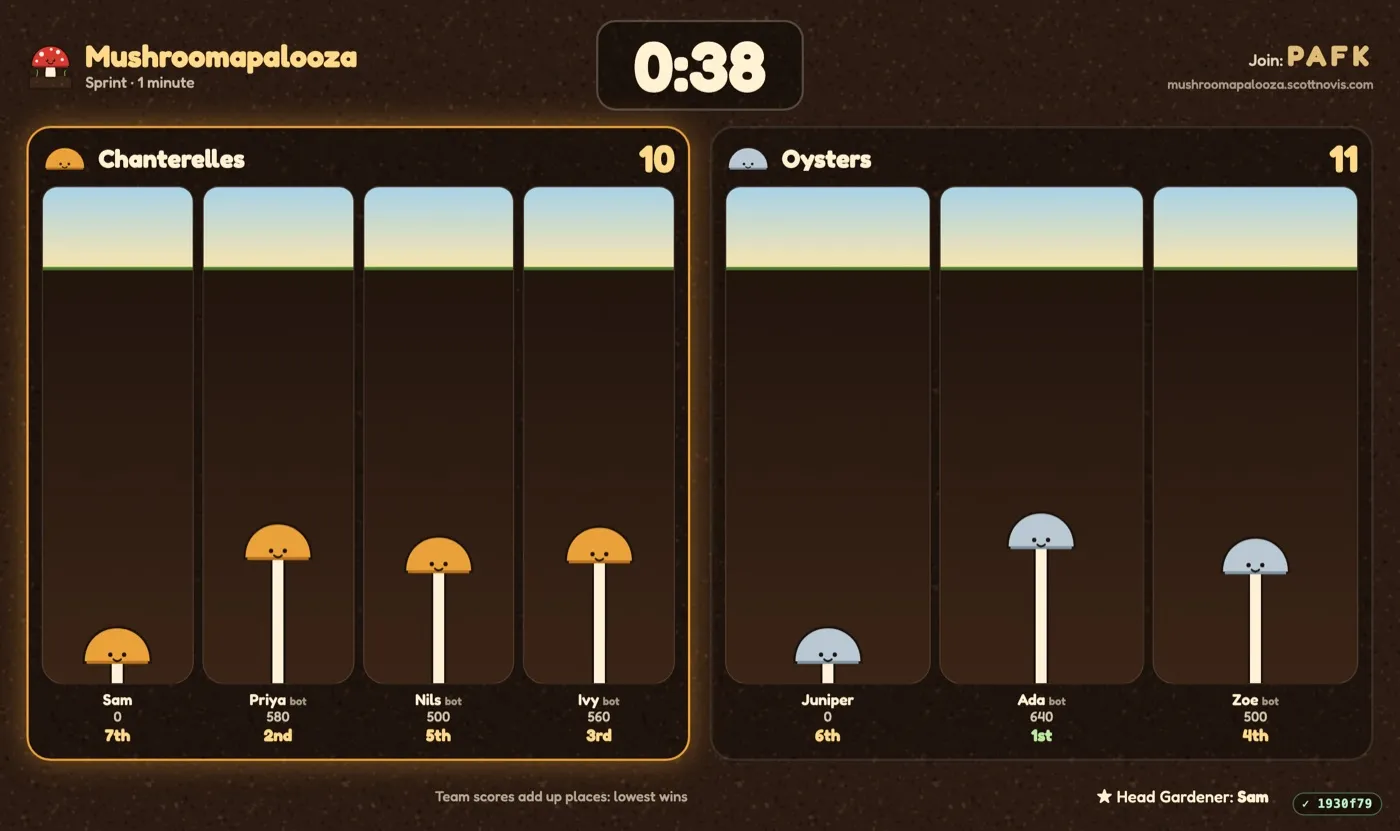
Click 📺 Open big screen. It opens the whole race in its own window:
every player’s mushroom growing in its team’s column, the clock, the team
scores, and the join code in big letters. Share that window on the
call, and keep playing in your own.
6. Start the race
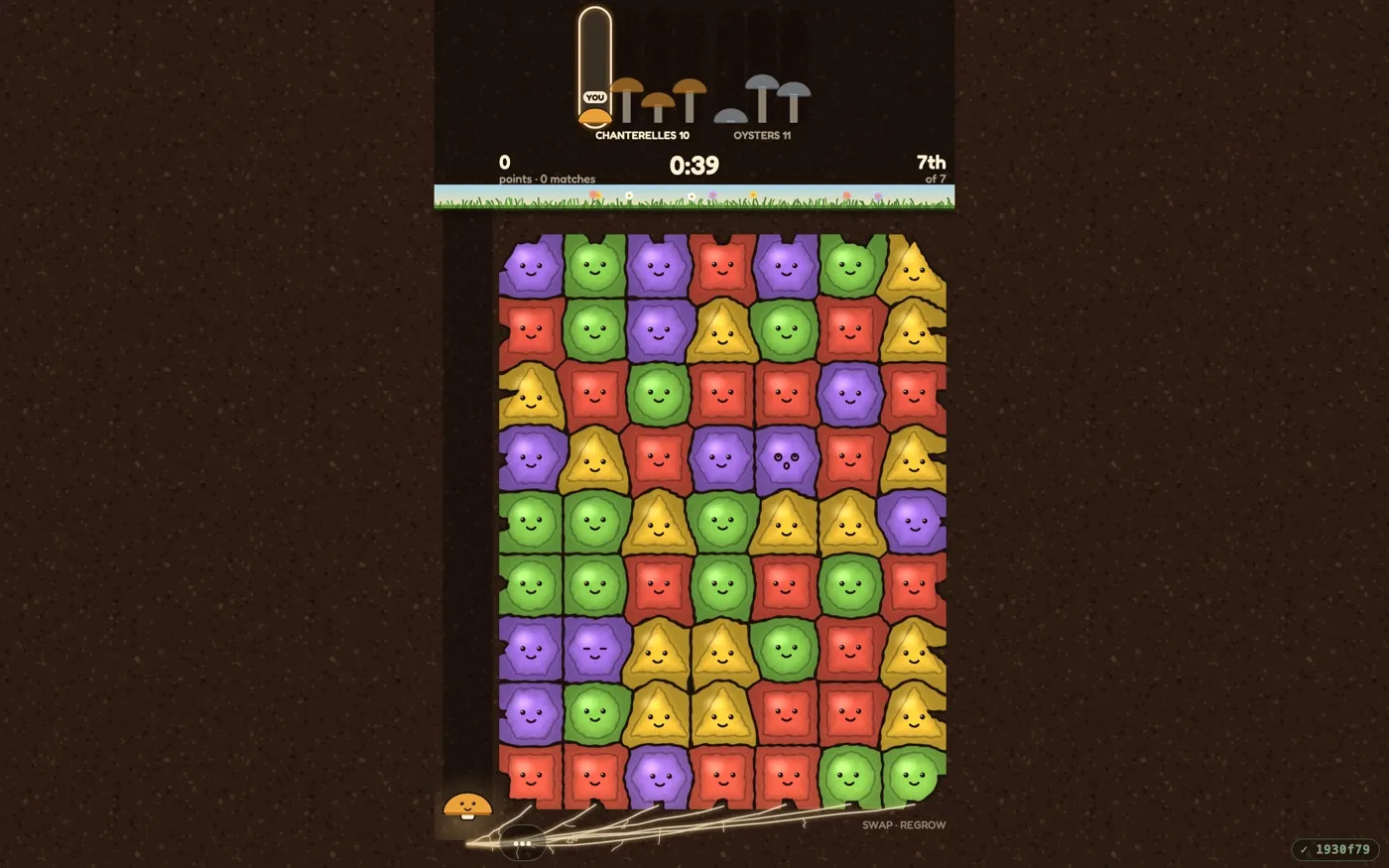
Click Start game. Everyone gets the same board and goes. Your mushroom
and your team’s grow along the top, with the clock and your place.
7. The results
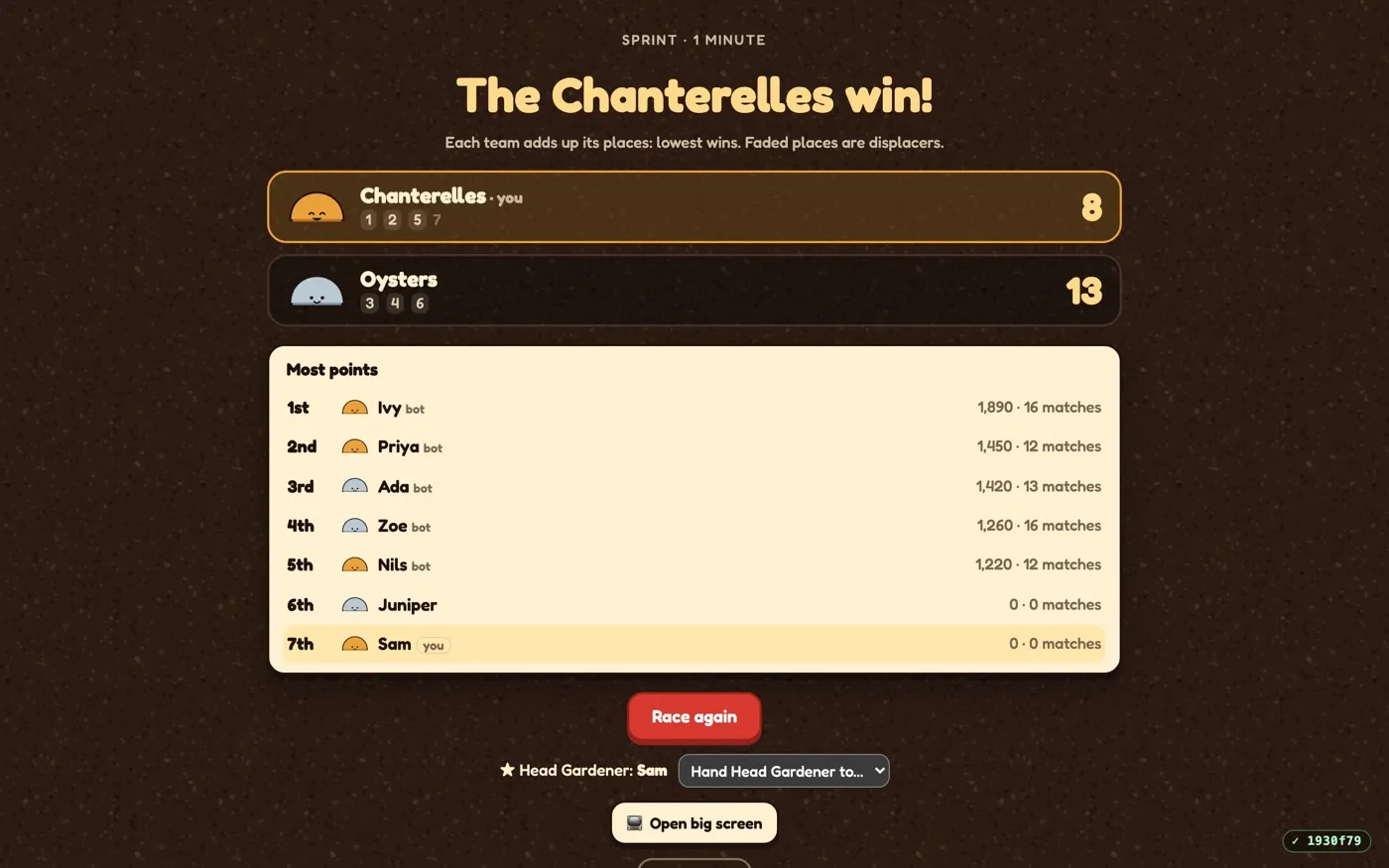
When the race ends, everyone sees which team won, each team’s places added
up, and the ladder of who scored most. Click Race again for another
one with the same room. Change the race or the teams between races if you
like.
Tips for a good game
- Start with a Sprint. It’s short, everyone finishes at the same time,
and nobody has to understand cross-country scoring to enjoy it. - Mix the bots in with a small group so the teams feel full. With a
big group, set Bots to No bots. - Hand it off. Need to step away? Pick someone from Make someone
else Head Gardener in the lobby, or Hand Head Gardener to… on the
results. - Dropped out? Open the same link again and rejoin.
What worked, what fell flat, what broke, what you wished it did. Every note helps.